Book an Appointment
Call San Antonio Computer Repair Service at 210-787-1120
                   

(210) 787-1120

*


San Antonio Computer Repair Service has provided the best mobile computer repair in San Antonio, TX and the greater San Antonio Metropolitan Area since 1999. The term "mobile computer repair" means we come to you to resolve all your computer problems.

We repair laptops, desktops, PCs and Apple computers. One of our highly qualified staff will come to you, often the same day, to take care of all your repair needs.

Why not use the #1 rated company for computer repair in San Antonio, TX?

Computer Repair 4.9 / 5 stars from 342 reviews
Why use a computer tech when you can have a San Antonio based Computer Engineer? Mon-Sun 8:00am - 8:00pm

Call us at (210) 787-1120

Text us at (210) 787-1120

Email us your questions

Book an Appointment

"Great service and friendly staff. Got my computer fixed same day, thank you!"
San Antonio Computer Repair Service 5 / 5 stars
"Zack was awesome very knowledgeable, friendly and professional. I will definitely recommend you to others and trust them with any issues we have in the future!"
San Antonio Computer Repair Service 5 / 5 stars
"It was great to get a call from Brandon before he arrived. He was very helpful in figuring out my printer issues as well as my computer questions. Would use this service again in the future."
San Antonio Computer Repair Service 5 / 5 stars
"Anthony was amazing! He is very professional, knowledgeable, patient and caring. I had multiple issues with my system and he definitely went above and beyond to problem solve."
San Antonio Computer Repair Service 5 / 5 stars
"Fast service! Fixed all of my computer problems and was very helpful in making suggestions on products I needed. He arrived on time and was professional. Overall a very pleasant experience and I will call again!"
San Antonio Computer Repair Service 5 / 5 stars

Who is San Antonio Computer Repair Service?

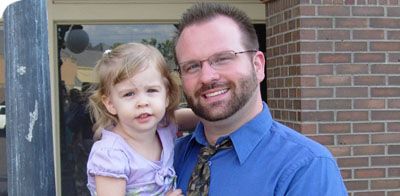
San Antonio Computer Repair Service is owned by Matt Karls, an Electrical Engineer and a Computer Systems Engineer. We are a team of computer professionals focused on Service and quality, all our work is guaranteed.

If you have any computer, technology or IT problem in San Antonio, TX we can fix it. We have been performing computer repair in San Antonio full time since 1999. Feel free to give us a call or text us at (210) 787-1120.

San Antonio Computer Repair Service's Computer Engineer

What is your Service Area for on-site Computer Repair?

Our primary on-site mobile service areas include the greater San Antonio Metropolitan Area and the Austin, Dallas-Fort Worth, Houston, Oklahoma City, Memphis, Nashville, Atlanta, Kansas City, St. Louis and Louisville metro areas.

We provide remote and mobile computer repair in San Antonio, New Braunfels, Schertz, Seguin, Timberwood Park, Cibolo, Converse, Universal City, Live Oak, Helotes, Windcrest, Leon Valley and Selma.

Our on-site Computer Service Area

What should someone expect that hires you for Computer Service?

Our mission is to fully resolve your computer problems quickly and affordably. If you want a Computer Engineer that can fix all of your computer problems instead of a computer tech, a computer geek, a technician or a computer guy that can only fix some of your problems; call us at (210) 787-1120.  

What types of Computer Services do you perform?

We service businesses and business clients in their homes, including:
 
  • Diagnose / repair hardware or software problems
  • Spyware, malware, trojan and virus removal
  • Setup wireless and small business networks
  • Laptop repair, PC repair and Apple repair
  • Hard drive data recovery

San Antonio Computer Repair Service Contact Information

San Antonio Computer Repair Service
San Antonio, TX 78205
(210) 787-1120

San Antonio Computer Repair Service is a Karls Technology company

* *
*
*
*
  *
* *


*
*
* * * * * * * * * * * * * * *
4.9 / 5 stars from 342 reviews

"Great service and easy to work with!!!"

San Antonio Computer Repair Service 5 / 5 stars

"Sean was wonderfully professional, quick and precise."

San Antonio Computer Repair Service 5 / 5 stars

"My tech was great and appeared knowledgeable, I won't hesitate to contact again and I would highly recommend."

San Antonio Computer Repair Service 5 / 5 stars

"Taylor worked through 6 PC systems with great ease. Very satisfied with his skills and his help servicing our systems."

San Antonio Computer Repair Service 5 / 5 stars
Best Antivirus Software of 2026: The Ultimate Guide to Cybersecurity Brands

In 2026, the digital threat landscape has shifted. We are no longer just fighting simple viruses; we are defending against AI-generated phishing, sophisticated ransomware-as-a-service, and complex identity theft. Choosing the right antivirus brand is no longer optional—it is the foundation of your digital life. At Karls Technology, we’ve analyzed the top-performing security suites of the […] The post Best Antivirus Software of 2026: The Ultimate Guide to Cybersecurity Brands appeared first on Computer Repair Blog.

Microsoft Fixes Bug on Windows 10

Microsoft has fixed an error that could cause the taskbar and desktop to disappear on Windows 10 computers. The same problem has been attributed by the corporation to the consumers’ gadgets freezing and not responding to input, according to Bleeping Computer. They also share that the affected versions are 20H2, 21H1, 21H2, and 22H2. Make […] The post Microsoft Fixes Bug on Windows 10 appeared first on Computer Repair Blog.

Browser Extensions – Safe or Not?

When little software programs called browser extensions are installed on a web browser, it can be enhanced with new features and functions. Those who work online benefit greatly from these extensions. Similar to how JavaScript may utilize a web page’s APIs (Application Program Interface), a browser extension can do the same.These are also called “plug-ins”. […] The post Browser Extensions – Safe or Not? appeared first on Computer Repair Blog.

Applications Won’t Work

When an application fails to install on your computer or it won’t work properly, it could be for a handful of reasons. Your computer’s hardware and software probably aren’t compatible with the program in question. The prerequisites for running any given piece of software on a computer are known as its “system requirements.” These might […] The post Applications Won’t Work appeared first on Computer Repair Blog.

Don’t Install Unfamiliar Browser Extensions

You should be aware of how unsafe it is to install software on your personal computer that you are unfamiliar with and have no idea what it does. Including things like putting in browser extensions. Users assumed browser add-ons were safe because they were uninformed about the dangers they could offer. In short, be weary […] The post Don’t Install Unfamiliar Browser Extensions appeared first on Computer Repair Blog.

If Your Computer Won’t Turn On, Here May Be Why

The last thing users need to happen when they’re about to jump on their PC is for it not to turn on. There is a possibility that your computer may not switch on because the power supply is broken or has died. If the computer’s power supply is malfunctioning, the components of the machine will […] The post If Your Computer Won’t Turn On, Here May Be Why appeared first on Computer Repair Blog.

Security Updates from Apple

Apple launched updates to macOS Ventura, along with iOS and iPadOS 16.1.1. These revisions are now available for download. Both of the operating system security holes are now patched thanks to the upgrades. Three security experts from Google’s Project Zero team are credited by IT news site GHacks with discovering the vulnerabilities at the Cupertino […] The post Security Updates from Apple appeared first on Computer Repair Blog.

Using Multiple Monitors

If you’re using multiple monitors, you may simply drag a window over to the side by pressing the Windows key and the appropriate arrow keys. Windows + P instantly enables a second monitor, while Shift + Windows Key + Arrows transfers the window to the next available monitor. Mission Control allows Mac users to view […] The post Using Multiple Monitors appeared first on Computer Repair Blog.

New Processor Compatibilities on Windows 11

The rigorous system requirements of Windows 11 and Microsoft’s insistence on using only the most recent hardware earned widespread criticism even before the operating system was made available to the public. According to Windows Latest, many PCs will not be able to acquire an official transition to Windows 11 from previous Windows operating systems. Windows […] The post New Processor Compatibilities on Windows 11 appeared first on Computer Repair Blog.

Remote Tech Support Can Be Risky

Using remote tech support is a high risk situation. Scammers posing as remote tech help can install malware on victims’ computers. Malware can remotely access a device, allowing hackers to inspect its data and take control. If you encounter infected pop-ups, don’t call any of the known software tech companies. Scammers will demand urgent payment […] The post Remote Tech Support Can Be Risky appeared first on Computer Repair Blog.